
Lashify
Lashify Inc.Beauty
4.8208.00 Reviews
- Version
- 2.0.67
- Installs
- 10.00K
- Age Rating
- Teen
Screenshots
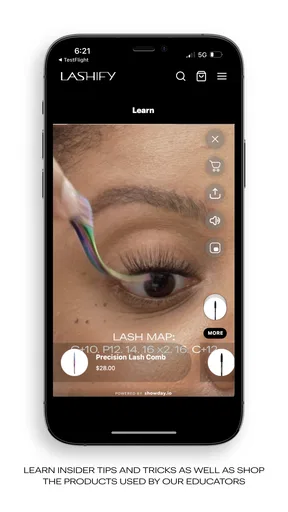
Our Review of Lashify
 Analysis by Appyee
I approached Lashify as a beauty companion for people who want more control over their lash routine than a quick coat of mascara can provide. Its focus is DIY luxury lash extensions, but the useful question is not whether the idea sounds appealing; it is whether the app fits the way you actually prepare, apply, and maintain your lashes. In my experience, that depends less on wanting dramatic results and more on being comfortable with a careful, repeatable beauty habit.
The app is free, belongs to the Beauty category, and comes from Lashify Inc. It is aimed at a Teen audience, so it feels more appropriate for older teens and adults who can follow application guidance patiently rather than treating lash extensions like an impulse accessory. The Android release requires at least version 8.0 of the operating system, which keeps it accessible to many phones that are no longer new. Its current version is 2.0.67.
What I like most about the concept is that it encourages a process instead of promising an instant transformation. You can use it when you are learning the basics, when you want to refine a familiar look, or when you need a reminder of a more consistent routine before an event. The trade-off is equally important: an app cannot replace careful eye-area hygiene, good judgment about irritation, or the hands-on practice needed to place lashes evenly.
Building a reliable lash routine instead of rushing the result
I find a dependable lash routine comes from treating each session as practice, not a race to get out the door. I’d use an ordinary day to notice which steps feel awkward and prepare the setup around those moments, so the next application feels calmer without cutting corners. That foundation makes it easier to decide what to do when the result or the process does not go as planned.
The baseline workflow I would use
I would begin with a clean, calm setup. Before opening the app, I would make sure the eye area is free from leftover makeup and that the tools and lash materials I plan to use are within reach. This sounds obvious, but it is one of the most practical habits for DIY lash work: stopping halfway to search for an item makes the process less precise, especially when one eye has already been started.
From there, I would use the app as a guide for the order of the routine rather than jumping between unrelated beauty content. A repeatable sequence matters because it reduces improvisation. I prefer to check the guidance first, prepare everything, and only then begin application. That approach also makes it easier to notice which part of the routine is causing trouble instead of blaming the entire system after one uneven attempt.
For a first session, I would keep the goal modest. A natural, balanced appearance is a better test of technique than trying to create the fullest possible look immediately. If the placement is comfortable and symmetrical, I can gradually experiment with more noticeable styling later. The app is most useful when it supports that progression, giving me a framework I can repeat rather than encouraging me to change every variable at once.
A realistic everyday use case would be getting ready for a dinner after work. I would not wait until the last few minutes before leaving. Instead, I would review the routine earlier, prepare the eye area, and use the app to refresh the sequence. That small amount of planning helps because lash application requires more attention than mascara, and the final appearance depends on placement as much as on the products themselves.
How I would use guidance during application
When learning, I would treat each instruction as a checkpoint. Is the base clean? Am I working carefully around the eye? Does the placement look balanced before moving forward? This prevents the common mistake of continuing simply because the next step is visible. If something feels uncomfortable or looks wrong, pausing is more sensible than trying to conceal the problem with additional layers.
I would also keep notes mentally about what worked for my own eye shape. The same arrangement will not look identical on every person. One side may need a slightly different placement approach because of natural asymmetry, lid shape, or the way the lashes grow. That is where the app can be a starting point, but personal observation has to finish the job. I would use its guidance consistently while allowing small adjustments that improve comfort and balance.
One useful habit is to evaluate the finished look in ordinary lighting, not only in a bright bathroom mirror. A style that looks subtle up close can appear much stronger in daylight, while a placement that seems acceptable from one angle may look uneven when the face moves. Checking before leaving the house gives me a chance to correct a small issue instead of discovering it in a photograph later.
What the app is good at for beginners
For a newcomer, the main advantage is structure. DIY lash extensions can feel complicated when the steps, tools, and desired finish are all unfamiliar. Having a dedicated Lashify experience gives the routine a clearer identity than searching through unrelated short videos or general makeup articles. I find that especially helpful when I want to remember the order of actions rather than collect endless inspiration.
It can also help a beginner decide whether this type of beauty routine is realistic for them. If you dislike detailed application, prefer to be ready in a few seconds, or often rub your eyes, the app may confirm that traditional mascara or occasional professional services suit you better. That is a valuable outcome too. A good beauty app should help users choose a method honestly, not make every method seem suitable for everyone.
Settings and phone habits worth checking
There is no reason to overcomplicate the phone setup. I would first make sure the device is running Android 8.0 or newer, then check that the app is updated to its current release, 2.0.67. Keeping the app current is sensible when the experience is instructional, because a familiar interface makes it easier to find the material I use repeatedly.
I would also adjust practical phone settings around the routine. A longer screen timeout can prevent the display from going dark while I am following a step, and a clean screen is easier to operate with dry hands before application begins. If I am working near a mirror, I would position the phone where I can read it without repeatedly turning my head or touching the device during the lash process.
Notifications deserve a quick review as well. I prefer beauty guidance to be available when I choose it, not to interrupt an unrelated part of the day. If the app offers notification controls on the device, I would keep only the reminders that genuinely support my routine. The goal is to make the app a useful reference, not another source of digital clutter.
For anyone concerned about using the app around the eye area, I would separate phone handling from product handling. I would read the relevant instructions first, put the phone aside while working, and wash my hands before touching the eyes. This is a simple but non-obvious improvement: the app can guide the process, but the phone should not become part of the application itself.
Creating faster patterns without sacrificing accuracy
After repeating the routine, I would build a personal preparation pattern. I would place the products in the order I need them, keep the mirror at a comfortable height, and open the app before beginning. That removes small delays that add up. I would not skip the guidance entirely, though. A quick review is safer than relying on memory when I have not used the routine for several days.
Another efficient pattern is to separate learning sessions from maintenance sessions. When I am trying a new style, I would give myself time to study the instructions and evaluate the result. On a normal morning, I would use the familiar sequence and avoid experimenting. This distinction helps prevent the classic problem of testing a new technique when I am already late.
I would also make one change at a time. If I alter the lash arrangement, the amount of product, and the finishing technique together, I will not know which change improved the result or created discomfort. A more disciplined approach is to keep the routine stable and adjust one element during a planned session. That is how the app becomes part of a repeatable system rather than a source of constant trial and error.
For photographs, I would think about balance rather than maximum volume. A lash look can appear attractive in person but overpower the eyes on camera, especially with strong lighting. I would use the app to understand the intended style, then judge the final effect in the setting where I will actually wear it. For a daytime office look, restraint may be more useful than copying the most dramatic finish available.
Where Lashify compares well with familiar alternatives
Compared with mascara, this approach offers a more deliberate extension-style result and a different kind of control. Mascara is faster, easier to remove, and usually more forgiving when I am in a hurry. Lashify is more appealing when I want a styled appearance that does not depend on repeatedly building coats during the morning. The cost of that control is time, precision, and a greater need to respect the eye area.
Compared with strip lashes, a DIY extension routine can feel more customizable because I can think about placement and overall balance rather than applying one complete strip at once. Strip lashes still win for occasional dramatic makeup when speed matters and I already know how to position them. I would choose the app-supported routine for someone who wants a repeatable personal method, not for someone who only wears lashes once or twice a year.
Compared with professional extensions, the attraction is independence. I can learn a home routine and make decisions for myself instead of arranging an appointment. The professional option remains better for people who want expert application, do not enjoy detailed beauty work, or have difficulty judging placement around their own eyes. Lashify should not be viewed as a universal replacement for a trained technician; it is a different commitment.
Advanced limits that experienced users should respect
Once the basic sequence feels familiar, the biggest danger is overconfidence. Faster hands do not automatically mean better technique. I would still check symmetry, comfort, and the condition of the natural lashes rather than assuming that a successful previous session guarantees the next one will be fine.
I would also avoid treating the app as a diagnosis tool. If the eye area becomes irritated, unusually sensitive, or uncomfortable, the sensible response is to stop and seek appropriate professional advice rather than searching for a way to continue. Beauty guidance can explain a routine, but it cannot assess an individual reaction through the screen.
Another limitation is that personal results depend on factors the app cannot fully control: natural lash direction, eyelid shape, dexterity, lighting, and the amount of time available. A beginner may follow the same instructions as an experienced user and still need several attempts to achieve a similar finish. That is not necessarily a flaw in the app, but it is a reason to set realistic expectations.
I would be cautious about using the routine immediately before an important occasion if I had never tried it. A wedding, interview, or long travel day is a poor time to discover that the style feels uncomfortable or that the placement needs more practice. I would test the process on an ordinary day first, then repeat the version that proved comfortable.
Who should download it, and who should skip it
I think the app is a strong fit for beauty enthusiasts who enjoy learning a hands-on routine, want a more polished lash effect than mascara usually gives, and are willing to repeat the same careful steps. It is also useful for someone who has purchased lash products but needs a more organized way to approach application instead of relying on scattered tutorials.
I would hesitate to recommend it to anyone seeking instant results with almost no preparation. If your morning routine has to take only a few minutes, mascara or a simple curler will probably be less frustrating. I would also suggest skipping DIY lash work if you already know that eye-area products tend to cause reactions, unless a qualified professional has helped you decide what is appropriate.
The Teen content rating makes the app approachable for a younger audience, but age alone does not equal readiness. A user should still understand hygiene, follow directions, and ask a trusted adult or professional for help when appropriate. The careful part of this hobby is not glamorous, but it is more important than achieving a bold finish.
My final assessment after making the routine repeatable
Lashify works best when I use it as a practical guide for building habits, not as a shortcut around technique. Its free access makes it easy to explore, and its 4.8 average from around one thousand ratings suggests that many users find the experience worthwhile. The app has passed ten thousand installs, giving it a meaningful audience without making popularity the only reason to try it.
My recommendation is straightforward: download it if you are genuinely interested in DIY luxury lash extensions and can give the process patience. Begin with a conservative look, prepare your workspace, review the sequence before touching the eye area, and change only one part of your method at a time. Those habits will help more than chasing an ambitious result on the first attempt.
I would choose another option if speed, professional application, or the lowest-maintenance routine matters more to me than customization. For everyone else, Lashify offers a focused way to turn lash application into a repeatable beauty skill. The real strength is not instant glamour; it is having a clearer process that I can practice, evaluate, and make my own.
Developed by Lashify Inc., the app earns its place on my phone when I want guidance that supports preparation and consistency. I would not promise that it removes the learning curve, because it does not. What it can do is make that learning curve easier to approach, which is exactly why I would recommend it to a friend who wants more control over their lash look and is prepared to work carefully.
Verdict
Strengths of Lashify
- Premium lash styles create a polished look without salon appointments.
- Customizable lash placement allows control over length and volume.
- Reusable lashes can offer better value with careful cleaning and storage.
- Compact tools make touch-ups convenient while traveling.
- Tutorials and guidance help beginners learn the application process.
Limitations of Lashify
- The premium system and refills can be expensive for regular users.
- Application requires practice to achieve even, natural-looking results.
- Adhesive may irritate sensitive eyes or skin.
- Removal and cleaning take extra time compared with mascara.
- Some lash styles may feel heavy or uncomfortable during long wear.
Similar Picks in This Category
View All
Beauty Makeup Editor & Camera
Photo & Video Editors - Instant Solution4.7

Perfect365: Face Makeup Editor
Perfect365, Inc.3.5

Mirror Plus - HD Mirror app
Digitalchemy, LLC4.8

Cute Lock Screen & Wallpapers
Prometheus Interactive LLC4.6

HD Camera for Android
One Music Player4.5

Phone Mirror app - True Mirror
Cards4.6
Frequently Asked Questions
What is Lashify, and what can I use it for?
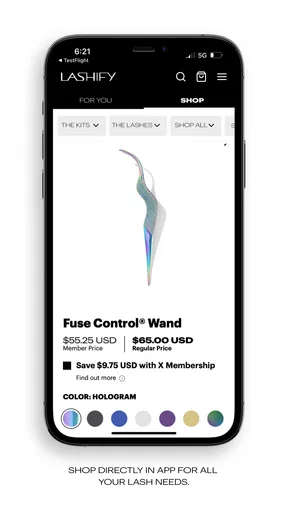
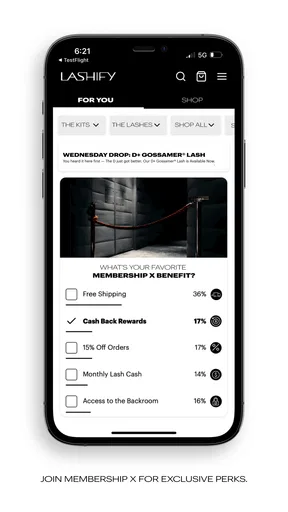
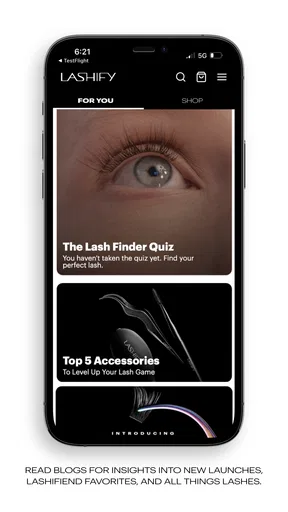
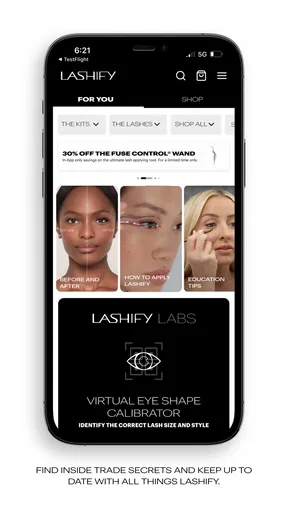
Lashify is a beauty app and brand-focused platform designed for people interested in DIY eyelash extensions, lash styling, tutorials, products, and application guidance. Depending on the version and region, the app may let you browse lash systems, watch educational content, explore looks, shop products, and access support. It is mainly useful for beginners who need instructions as well as experienced users looking for new techniques and inspiration.
Is Lashify suitable for beginners, or do I need previous lash-extension experience?
Lashify is generally designed to be approachable for beginners, with educational material explaining preparation, placement, bonding, removal, and aftercare. However, applying lashes still requires patience and careful handling around the eyes. New users should begin with the recommended starter guidance, avoid rushing the process, and follow all safety instructions. The app can support learning, but it does not replace professional training or medical advice.
Does the Lashify app allow me to purchase lash products directly?
In supported countries, Lashify may provide access to product catalogs, kits, accessories, educational recommendations, and purchasing options through the platform or linked online store. Availability can vary based on your location, current app version, stock, and shipping policies. Before ordering, check product descriptions, delivery charges, return conditions, and whether recurring subscriptions or promotional offers are included in the checkout process.
Are Lashify products safe for everyone to use?
Lashify products are intended for cosmetic use, but individual reactions can vary. Users with sensitive eyes, allergies, existing eye conditions, or a history of reactions to adhesives should review ingredient information carefully and consider consulting an eye-care professional before use. Never apply products to irritated or infected eyes, avoid contact with the eye itself, and stop immediately if you experience burning, swelling, redness, or persistent discomfort.
What should I know about removing Lashify lashes and maintaining them?
Proper removal and aftercare are essential for protecting your natural lashes. Follow the instructions provided in the app or with the specific product, and use only the recommended remover rather than pulling or peeling the extensions away. Gentle cleansing, avoiding excessive rubbing, and following storage or reuse guidance can help maintain the lashes. If removal causes pain or your natural lashes appear damaged, seek professional advice.
